
Display or no display
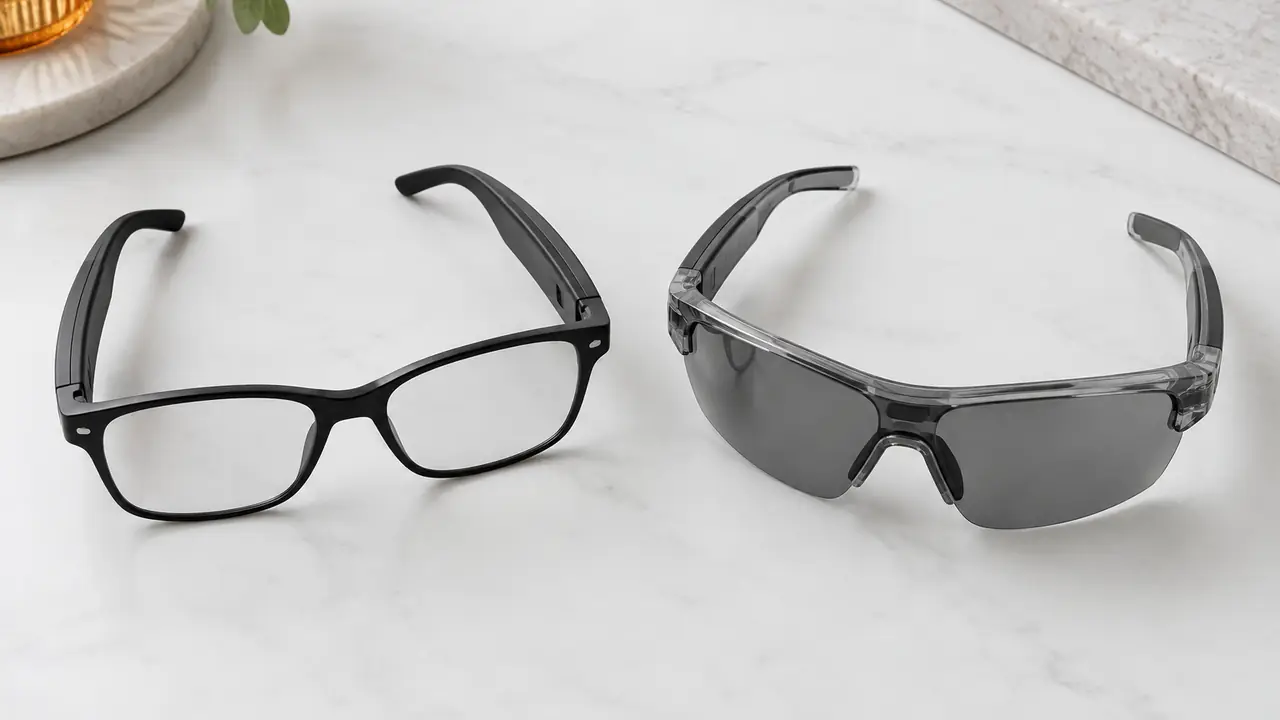
AI glasses, as most buyers use the term today, are glasses without a display. They combine open-ear audio, a microphone array, sometimes a camera, and an app or cloud assistant reached through the paired phone. The wearer hears answers, translations per app and engine, and notifications.
AR glasses add a display system that places text or images in the wearer's view. Designs range from a small monocular heads-up display that shows a line of text in one eye, to binocular displays using birdbath optics or optical waveguides that can show richer content. Many AR glasses also include the AI features above, so the distinction is about the display layer, not about intelligence.
The market reflects how much harder that layer is. Omdia counted about 8.7 million AI glasses shipped worldwide in 2025, with models that include a display rising from 3.3 percent to 8.4 percent of the total, about 730,000 units. Display models are growing, but audio-first AI glasses still carry most of the volume.
Side-by-side comparison
| Dimension | AI glasses (no display) | AR glasses (display) |
|---|---|---|
| Output to the wearer | Audio through open-ear speakers | Text or images in view, plus audio |
| Optics | Standard lenses: clear, sun, photochromic, Rx-ready | Monocular or binocular HUD, birdbath or waveguide per project |
| Look | Close to ordinary eyewear | Thicker fronts or visible optics on many designs |
| Weight | Within the 27-50 g category range, typical | Usually heavier, depending on display and battery |
| Battery | Shared by audio, mics and radio; runtime per feature | Display adds a large load; runtime stated per display mode |
| Prescription use | Rx-ready fronts fitted by a lens lab | Inserts or special lenses; depends heavily on the optics |
| Outdoor readability | Not applicable | A key test item; varies with brightness and lens tint |
| Typical use | Calls, assistant, translation, capture | Captions, navigation, notifications, work instructions |
| Program type | Catalog, logo or custom | Mostly project-based, defined with the display solution provider |
The look row matters more than buyers expect. Part of the appeal of AI glasses is that they pass as ordinary eyewear. Many AR designs still show visible optics or thicker fronts, which narrows the channels where they sell well.
Weight and battery
A display system adds a projector or micro-display, optics and driving electronics, and it draws power whenever content is shown. That puts pressure on the two constraints smart glasses already struggle with. Temple batteries are small - commonly about 85-235 mAh in total across both sides on audio-first designs - and every gram added to the front tips the balance toward the nose. AR programs therefore make trade-offs that AI programs do not need: a monocular display instead of binocular, content shown only on demand, or a separate battery or tethered connection.
When comparing models, ask for runtime with the display active at a stated brightness, not only for audio playback, and for the weight of the pair as built, on the golden sample. The battery runtime guide explains how to state runtime conditions on a listing.
Optical and safety points
Both categories carry lenses that fall under optical standards: EN ISO 12312-1 for sunglasses in Europe, ANSI Z80.3 in North America, and the 21 CFR 801.410 drop ball test in the US. AR fronts add questions those standards were not written around, such as how the display optics sit with the lens and how tint affects display readability outdoors. Where a front uses electrically switched tint, ISO 12312-1:2022 includes a warning relating to photosensitive epilepsy that should be reflected in the user information. Prescription use is also harder: some optics accept inserts, others need special lenses, and the lens workflow must be agreed with the solution provider. Confirm the full scope with your test lab.
Radio, battery and cybersecurity scope are similar for both: FCC Part 15, CE RED with EN 18031, UN 38.3 and IEC 62133-2 for the cells. The certification guide covers this by market.
Use cases and channels
AI glasses suit broad consumer and business channels: commuters, office workers on calls, travellers using translation per app and engine, and creators who want capture and audio in one pair. They can be sold through eyewear, electronics and marketplace channels with the same listing logic as audio glasses.
AR glasses are strongest where seeing information matters more than looking ordinary: live captions of conversation per app, navigation prompts, notifications at a glance, and work instructions for field and warehouse teams. Many AR programs are enterprise projects with defined tasks, small fleets and a software partner. The field work use page lists what to test in those settings, and AR display glasses optics explains the display types.
After-sales differs too. AI glasses need app and firmware support. AR glasses need that plus display calibration, content updates and, often, training for users. A brand should plan support capacity before choosing the line.
Returns follow the same split. AI glasses are mostly returned for fit, runtime expectations or features that need a network. AR glasses add display-specific reasons: content hard to read in bright sun, the display sitting outside the wearer's line of sight because of face shape or bridge height, and discomfort when the front is heavy. Several of these depend on fit, so AR programs benefit from a wider range of nose pad options and from a fitting note in the box. Testing the display position on a range of head forms during the engineering sample stage catches most of these issues before they reach customers.
Which to stock first
For most brands and retailers, AI glasses come first. They sell through existing eyewear and electronics channels, keep the look of ordinary glasses, run on proven audio platforms and can start as a catalog or logo model - typically 50-500 pairs per catalog model or 500-1,000 pairs for a logo program, as reference ranges confirmed in writing per program on MOQ and lead time. See AI glasses for the lines. Add AR glasses when there is a defined task that needs a display - captions, instructions, navigation - and a channel or enterprise customer ready to support it; plan those as projects with the display solution provider. Developer smart glasses are a useful step for teams testing a display concept before committing. Describe the task and target volume on the quote form.