
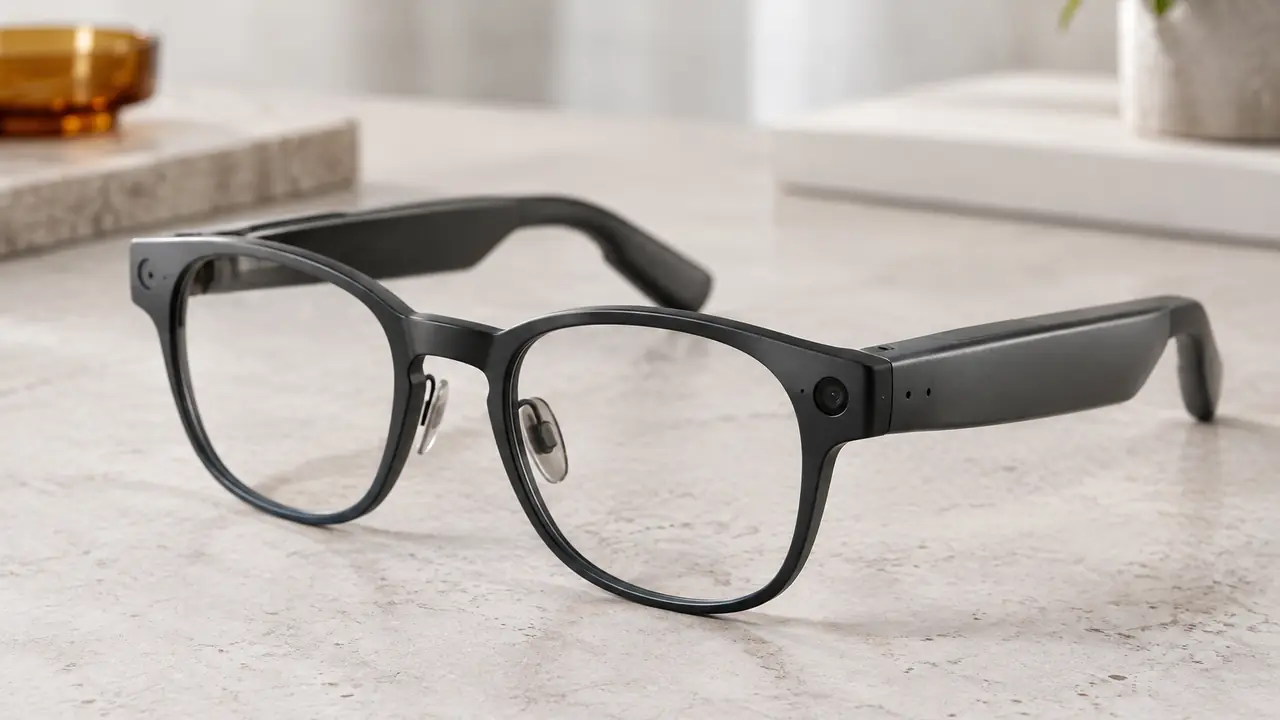
What a display adds to smart glasses
Most smart glasses on the market have no display at all; they add audio, microphones and sometimes a camera. Display glasses add a small light engine - a micro-display and the optics that carry its image to the eye - so the wearer can read notifications, navigation prompts, translated captions or a larger virtual screen. Omdia estimated that AI and AR glasses with a display rose from 3.3 percent to 8.4 percent of AI glasses shipments in 2025, around 730,000 units, which shows both the growth and how small the segment still is.
A display changes almost every other part of the product. The light engine needs space and power, the optics have to sit precisely in front of the eye, and the frame must hold that alignment through daily wear. For a buyer, the first decision is the optical route, because it sets the look of the product and narrows the list of solution providers that can build it. Display routes are chosen per project with the solution provider; Templora does not treat any one route as standard.
Three optical routes compared
Display glasses use one of three broad optical approaches. The table summarises their general character; specific figures such as field of view and brightness depend on the solution provider's design and are confirmed per spec sheet.
| Route | How it works, in brief | General strengths | General trade-offs |
|---|---|---|---|
| Simple HUD | A small display and reflector place a compact image near the edge of the view | Light, simple, suited to short text and icons | Small image, limited content, visible optics on the frame |
| Birdbath | A beam splitter and a curved mirror in front of the eye reflect a micro-display image | Rich image, suited to video and a virtual screen | Thicker front, darker view of the real world, heavier |
| Waveguide | Light enters a thin lens-like plate, travels inside it and is directed out toward the eye | Thin, closest to the look of ordinary lenses | More complex to make, lower optical efficiency, cost drivers higher |
In practice the route follows the use case. Notification and caption glasses for all-day wear lean toward compact HUD or waveguide designs. Glasses intended as a portable screen for video and work lean toward birdbath designs, accepting more weight in exchange for a larger, richer image. The broader comparison with display-free models is in AR glasses vs AI glasses.
Monocular or binocular
A second choice is whether the image appears in one eye or both. Monocular designs place the display on one side, usually the right. They use one light engine, so they are lighter, simpler and draw less power, and they suit short glanceable content such as captions, prompts and notifications. Binocular designs put an image in front of both eyes, which supports a larger, more comfortable view for longer content and, with suitable content, a sense of depth. They need two light engines aligned to each other, which raises weight, power draw and the precision required in assembly.
Alignment is a production issue as much as a design issue. Binocular images must stay aligned within tight tolerances, and small shifts in the frame can make the image uncomfortable to view. Partner plants check alignment in the assembly line and after mechanical tests such as temple flex and drop; buyers should ask how this is controlled and include it in the inspection plan on quality control.
Weight, battery and heat
Display glasses are heavier than audio glasses. The light engine, the optics, a larger battery and often a more capable processor all add mass, and the extra weight tends to sit at the front, where it presses on the nose. Comfort depends on balance as much as total grams: placing the battery toward the rear of the temples can offset a heavy front. Some designs move the battery and processing into a separate puck or a cable to the phone to keep the frame light; that choice changes the user experience and the certification scope.
Runtime is shorter than for audio glasses because the display draws power whenever it is on. Brightness settings, the share of time the display is active and whether the camera is used all change the figure, so runtime should be measured in a realistic usage pattern and stated with conditions. Heat from the light engine near the temple also needs managing, per firmware, with limits written into the spec sheet.
Lenses, prescriptions and standards
Display optics have to work with the lens the wearer actually uses. Many display designs offer clip-in or magnetic prescription inserts behind the optics; whether a given design accepts an Rx insert, and over what range, depends on the frame and the lens lab. See prescription smart glasses for the Rx-ready workflow.
Outdoor readability often depends on darkening the outer lens to raise contrast. Photochromic outer lenses, which darken in sunlight across dynamic categories of roughly Cat. 0 to Cat. 3 per lens spec, are one option. Sunglass lenses fall under ISO 12312-1 in Europe and ANSI Z80.3 in North America, and Cat. 4 lenses must be labelled as not suitable for driving. ISO 12312-1:2022 also addresses electrically switchable tinted lenses, including a caution related to photosensitive epilepsy, which any program using such lenses should review with its test lab. The lens options are on lens options, and the categories in sunglass lens categories under ISO 12312-1.
Sourcing a display program
Display glasses involve more specialised suppliers than audio glasses: the light engine and optics often come from a solution provider, while the frame and lenses come from eyewear clusters. Templora coordinates the three supply chains, compares candidate optical routes on engineering samples and writes the agreed figures into the spec sheet. Because optics and alignment add steps, full custom display programs generally follow the ODM path - engineering samples in about 30 to 60 days including tooling, and quantities from 3,000 pairs per model - while catalog models start lower. All ranges are confirmed in writing per program on MOQ and lead time, and the process is outlined on sourcing process.