
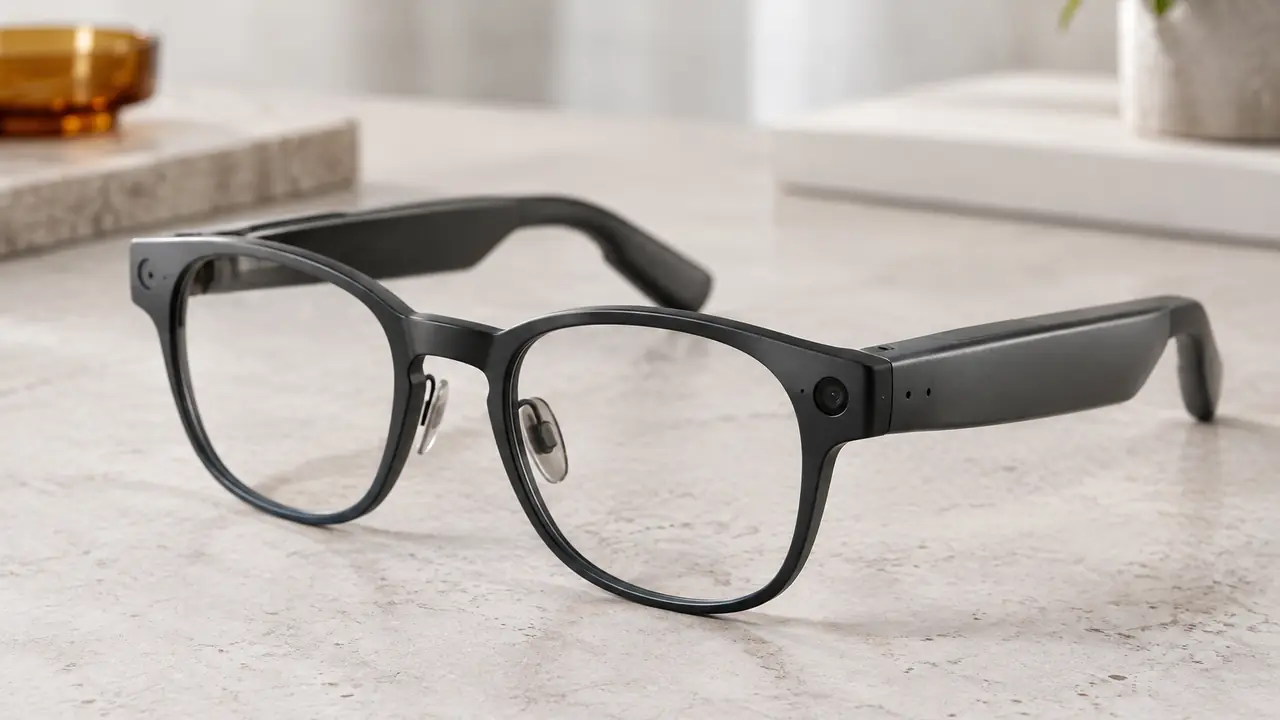
What an assistant on glasses actually is
A voice assistant on smart glasses is a chain rather than a single feature. The glasses listen for an activation - a spoken wake word or a touch on the temple. Once activated, the microphones capture the request and send it over Bluetooth to the companion app on the phone. The app passes the request to an assistant service, usually in the cloud, receives the answer and plays it back through the temple speakers. On camera models, the assistant can also take a photo and send it with the request so the service can describe what the wearer is looking at.
The glasses themselves handle only the first and last steps: detecting activation and capturing and playing audio. The assistant's knowledge, language support and answer quality depend on the service behind the app, chosen per program. Buyers should treat the frame and the assistant as two parts with separate requirements, and test them together on the golden sample in the noise and network conditions their customers will meet.
Wake word or touch: the activation choice
Activation is the design decision with the most influence on privacy, power and user experience. The two main options can be combined, and many programs offer both with a setting in the app.
| Factor | Wake word | Touch or button |
|---|---|---|
| How it works | Low-power detector listens for a keyword, per firmware | User taps or holds the temple to start a request |
| Hands-free use | Fully hands-free, useful when cycling or carrying things | Needs a hand, but a quick and deliberate gesture |
| False activations | Possible in noisy rooms or with similar-sounding words | Rare, mainly accidental touches |
| Power use | Small continuous draw for the detector | No listening draw until activated |
| Privacy perception | Users and bystanders may worry the device is always listening | Clear moment of user intent |
| Typical setting | Optional, with a clear on and off control in the app | Default on many models |
Touch controls bring their own tuning questions, such as accidental activation when adjusting the frame; see touch and voice controls on glasses.
Always listening and privacy
A wake word detector has to listen continuously, so the important question is what happens to that audio. In a well designed product, wake word detection runs locally on the glasses or the phone, per firmware, and audio is only sent to the assistant service after activation. That behaviour should be stated in the app documentation, not just claimed in marketing. Buyers should ask for it in writing, along with the answers to a few practical questions:
- Feedback on activation. Is there a tone or a voice cue when the assistant starts listening, so the wearer knows a request is being captured?
- Mute control. Can the user switch the microphones off for the assistant with one action, and is the state clear?
- History. Are requests stored, for how long and in which account, and can the user review and delete them?
- Camera requests. On camera models, does an assistant photo trigger the recording indicator exactly like a normal photo?
The last point is essential. Whenever the assistant uses the camera, the recording indicator LED must behave as it does for any capture; the design rules, and the EDPB statement of October 2026 that frames them as guidance, are in camera glasses privacy. In the EU, connected glasses also fall under the RED cybersecurity requirements with the EN 18031 series since 1 August 2025.
Power, latency and the phone
Assistant features change runtime. A wake word detector draws a small amount of power all day; each request then keeps the microphones, the Bluetooth link and the speakers busy, and camera requests add capture and transfer. Runtime figures measured with music only will overstate what an assistant-heavy user sees, so ask the plant for runtime in a realistic mix of requests per hour. The mechanism is covered in AI features and power draw.
Response time follows the same logic as translation: the request travels from glasses to phone to cloud and back, so network quality dominates. The assistant also depends on the phone app being installed, logged in and allowed to run in the background. Many complaints about an assistant that does not respond trace back to phone settings that stop the app in the background. Clear onboarding in the app and the quick-start guide prevents most of these.
Languages, regions and the assistant service
The assistant's language support, voice options and regional availability are set by the service behind the app, not by the glasses. A program selling in several markets should confirm which languages the assistant understands and answers in, whether features differ by region, and what happens if the service changes terms or features after launch. If the assistant is offered under your brand through a white-label app, the program documents should define who maintains the app, who handles data requests from users and who updates the listing when features change. Branding options are covered on OEM and private label, and app delivery on firmware and app.
Specifying an assistant program
A practical brief fixes the following points before samples:
- Activation modes - touch, wake word or both - and the default setting.
- Local detection of the wake word and the point at which audio leaves the device, stated in the app documentation.
- Feedback and mute - activation tone, mute control and its visible or audible state.
- Camera behaviour - indicator active for every assistant capture, per firmware.
- Runtime measured in an assistant-heavy mix, not only music.
- Data file - privacy documentation, request history controls and cybersecurity documentation for the EU, verified per project.
Templora shortlists catalog models and solution providers against this brief, runs sample tests side by side and writes the agreed behaviour into the spec sheet. Starting quantities are typically 50 to 500 pairs per catalog model and 500 to 1,000 pairs for logo programs, confirmed in writing per program. Send your markets and feature list through the quote form; the data questions to prepare are in smart glasses data and app permissions.