
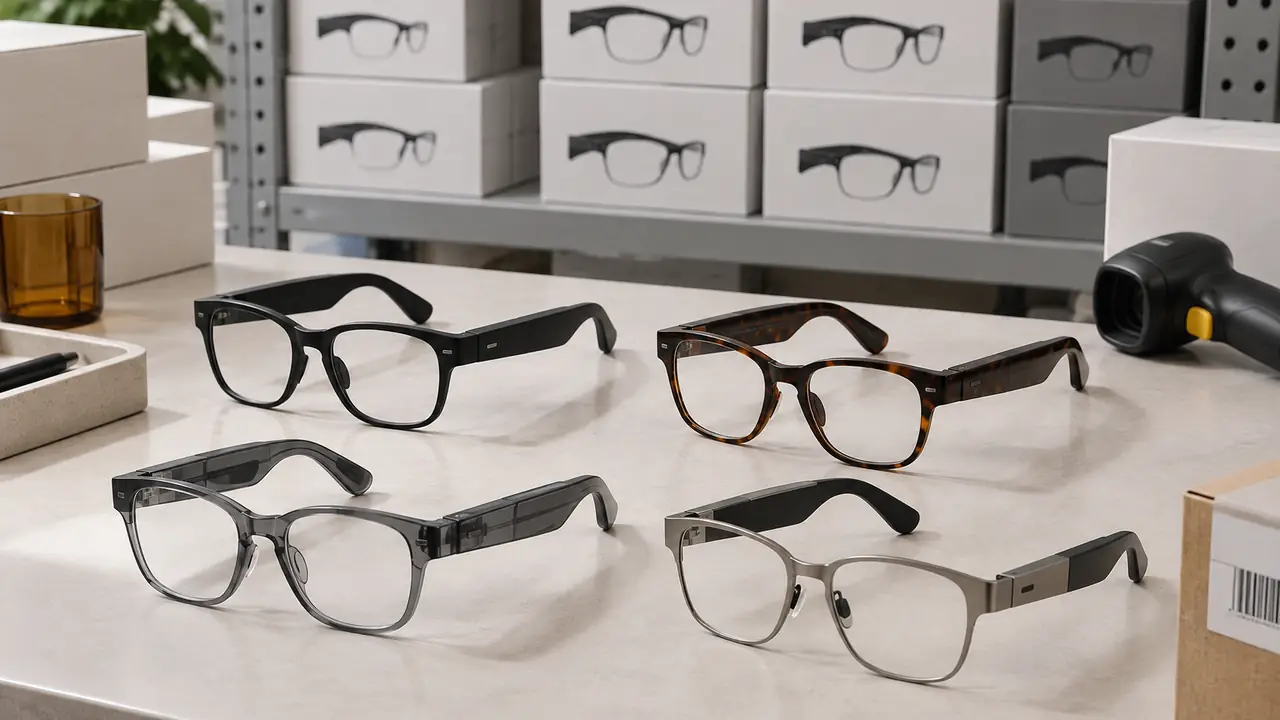
Why smart glasses need a different store setup
Ordinary sunglasses sell from a spinner rack: shoppers pick a pair, look in the mirror and decide. Smart glasses add two questions a mirror cannot answer - how does it sound, and how does it feel to use - and those questions decide the sale. A shopper who hears open-ear audio for the first time often changes their view of the category within a minute. A shopper who picks up a flat, unpaired display unit leaves with the impression that the product does not work.
That means the store setup has to keep a few units charged, paired and clean at all times, while protecting them from theft and making the boxed stock easy to find. None of this is complicated, but it needs planning at the sourcing stage, because display units, fixtures and packaging are specified alongside the product.
Try-on and display units
Most retail programs separate three kinds of units: a working try-on unit that shoppers can hear, a frame-only or non-working dummy for colour and shape, and boxed stock. The table below sets out what each needs.
| Unit | Purpose | What to specify |
|---|---|---|
| Working try-on unit | Let shoppers hear audio and feel weight | Clear or lightly tinted lenses, a loop audio clip or paired store player, charging in the fixture, security tether |
| Frame dummy | Show colours and shapes without electronics | Same front and temple shell, weighted to match where possible, marked as display only |
| Boxed stock | Sale and take-home | Retail box with barcode, size and colour on the end panel, battery marking where required |
The working unit is the one that needs engineering attention. Shoppers will not pair a pair of glasses with their own phone in a store, so a common approach is a store mode in firmware that plays a short audio loop on a touch, or a fixture with a small paired player. Either way, ask the partner plant early whether the firmware supports such a mode, as described in apps and firmware. Frame dummies are cheaper and let a store show a full colour range with only one or two working units per model.
Fixtures, charging and security
A display fixture for smart glasses does three jobs: it charges the working units, holds them securely and explains the product in a few words. Charging usually uses the same magnetic pogo contacts as the retail cable, built into the stand, so that units are charged whenever they are returned to it. Security tethers should attach to the frame without blocking the temples, because shoppers need to put the pair on. The fixture's own power supply and wiring are electrical products in their own right; confirm their compliance for each market with your test lab.
- Charging: pogo contacts in the stand, a visible charge indicator, and a daily check by staff.
- Hygiene: cleaning wipes at the fixture and a routine to clean nose pads and temple tips; replaceable temple tips help.
- Security: tethers or locking cradles that allow try-on; boxed stock behind the counter or in locked display.
- Information: a small card with runtime, weight and the key function, using the same figures as the listing and the box.
Fixture design, materials and quantities are agreed per program; small fixture runs are usually ordered alongside the first stock order so that they arrive together. Placement matters as much as design: a fixture near a mirror and away from the store's loudest speakers lets shoppers hear open-ear audio as it sounds in daily use, which is the moment that usually decides the sale.
Packaging, barcodes and shelf data
Retail buyers will ask for a few packaging details before they list a product: a barcode on the box, size and colour on the end panel so that stockroom staff can pick without opening, a carton count that suits store replenishment, and battery markings where shipping or local rules require them. Box dimensions also matter: smart glasses boxes are usually larger than sunglasses boxes because they carry a charging cable and sometimes a case, and they have to fit existing shelf depths.
Box contents should be visible in a diagram on the box itself - glasses, cable, pouch or case, quick start guide - because shoppers compare boxes on the shelf. The options are set out on packaging and retail boxes and in packaging and unboxing.
Staff training
Store staff do not need to understand Bluetooth codecs. They need to know how to show the product, answer five or six common questions and handle a return conversation. A short training pack typically covers:
- How to show it. Put the pair on the shopper, start the audio loop, let them hear it with surroundings still audible.
- Fit basics. Frame size in millimetres, how temples and nose pads can be adjusted, and when to suggest a different size, with reference to the lens and frame fit guide.
- Common questions. Runtime, charging, calls in wind, prescription lens options and water resistance per IP rating.
- Pairing help. The steps for a first pairing and a reset, so that a shopper who buys can be helped at the counter.
- Returns and faults. How to tell a pairing issue from a hardware fault, and the store's route for each.
The training pack is usually a short printed card and a few minutes of video produced by the brand. The desk can gather the technical content from the partner plant's documentation so that the training matches the product as built.
Stock, returns and the first order
In-store returns follow the same top causes as online ones: fit, pairing and charging issues. Stores that check pairing and charge at the counter before accepting a return as faulty send far fewer good units back to the brand. A small stock of spare cables and nose pads at the store helps too; spares planning is covered in warranty and spare parts planning.
For a first retail order, typical quantities are 500 to 1,000 pairs per model for a logo and packaging program, with sample lead times of 10 to 15 working days and batch production typically 20 to 35 days - reference ranges confirmed in writing for each program on MOQ and lead time. Include fixtures, dummies and training needs in your brief on the quote form, so that the plant can plan them with the stock.