
Why 'too quiet' is a frequent complaint
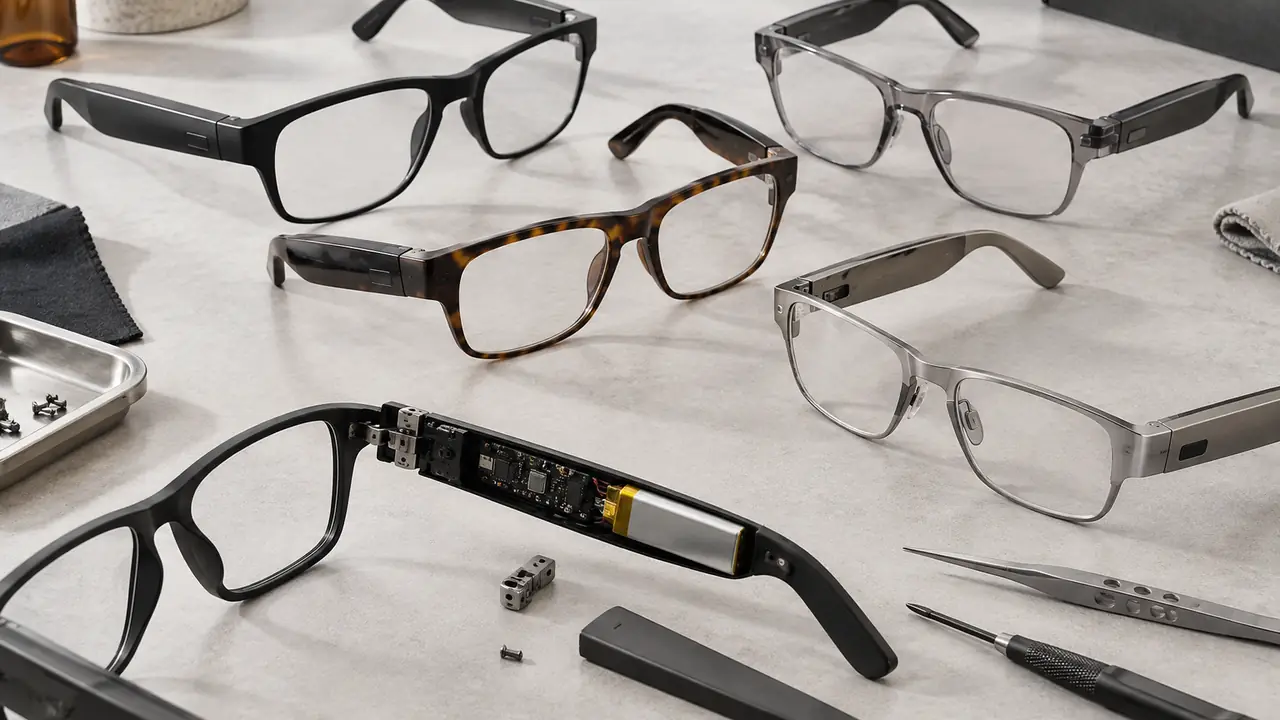
Audio glasses place a small directional speaker in each temple, aimed at the ear canal from a short distance, with no seal. That design is the reason people buy them - they stay aware of traffic, colleagues and conversation - and also the reason the sound is lighter and quieter than sealed earbuds, especially in the bass and in noisy streets. Across the category, manufacturers quote peak sound pressure of roughly 75 to 90 dB SPL for open-ear designs; bone conduction designs depend heavily on how firmly the transducer sits against the head.
So the first job when 'too quiet' arrives is to sort three groups: units with a real defect, units that are fine but badly fitted or configured, and customers whose expectation was set by sealed earbuds or by marketing copy. Each group needs a different fix, and only the first is a product fault.
Root causes by layer
| Layer | Typical root cause | How it shows up |
|---|---|---|
| Design | Speaker port too far from or angled away from the ear; temple length range too narrow for the head size | Quiet on many wearers, better when the temple is pushed forward |
| Materials and assembly | Acoustic mesh blocked by glue or debris, speaker driver below spec, port gasket misaligned | One side quieter than the other, or one lot quieter than the sample |
| Firmware and tuning | Conservative volume ceiling, EQ that cuts low mids, leak-reduction setting too strong, a kids volume limit per firmware | Every unit of a firmware version behaves the same |
| Use and settings | Phone media volume or app volume low, absolute volume behaviour, battery-saver mode, sweat or skin oil in the port | Varies by phone and by day |
Fit deserves its own line. On open-ear glasses, a few millimetres between the port and the ear make an audible difference. A wide head with short temples, or a narrow head where the frame slides forward, moves the port away from the ear. On bone conduction models, low contact pressure reduces both volume and low frequencies. That links this complaint closely to fit that is too tight or loose.
Field triage routine
- Check both volume levels. Raise the phone media volume and the glasses' own volume, using the touch control or the app. On some phone operating systems the two are linked, on others they are separate.
- Check the app settings. Look for an EQ preset, a leak-reduction or privacy mode, or a volume limit that has been switched on.
- Compare left and right. Play a mono test track and listen to each side. A clear imbalance points to a blocked port or a weak driver.
- Inspect the speaker ports. Look for skin oil, sweat residue, make-up or lint in the mesh. Clean dry per the manual.
- Check the fit. With the glasses worn normally, see where the port sits relative to the ear. If it sits behind or above the ear, the temple length or frame size is the issue, not the speaker.
- Test against a reference unit. Where a store or warehouse holds a known-good unit, compare at the same phone volume. If both sound alike, the unit is not faulty.
Units that are clearly quieter than a reference unit, or that show a left-right imbalance after cleaning, go back with serial number and firmware version. Fit and expectation cases are better handled with a size exchange, a settings guide or clearer product copy.
How to specify loudness
A purchase spec that only says 'loud and clear' cannot be inspected. These lines can.
- Measured target, not adjectives. Agree an output level and frequency response target measured on the golden sample with a defined fixture and test signal, with tolerance per lot. The method is described in acoustic testing for smart glasses.
- Left-right balance. State a maximum difference between sides at the agreed test frequencies.
- Volume ceiling and EQ. Fix the firmware volume ceiling, the default EQ and any leak-reduction default in writing. On kids models, the volume limit is a deliberate firmware setting and should be described as such.
- Leak trade-off. Louder open-ear output usually means more sound leakage. Decide which matters more for the use case and write it down; see sound leakage in audio glasses.
- Fit range. Define the frame and temple sizes the speaker position was tuned for, so the size range on the listing matches the acoustic design.
- Listing copy. Describe open-ear sound honestly - aware listening, lighter bass than sealed earbuds - so the customer buys the right expectation.
Inspection items
Typical acoustic checks during pre-shipment inspection, confirmed per order:
- Output level and frequency response sweep on sampled units against the golden sample, on the same fixture.
- Left-right balance on every sampled unit.
- Visual check of speaker mesh and port for glue, debris or misaligned gaskets.
- Firmware version and default settings read-out: volume ceiling, EQ preset, leak-reduction mode.
- Rub-and-buzz or distortion check at maximum volume.
- Sound leak check where the spec sets a limit.
One practical point: acoustic results depend heavily on the fixture. A measurement taken with the temple resting on a bench will not match one taken on a head-and-ear simulator or a fitted dummy head, and two labs using different fixtures can disagree by more than the lot tolerance. The fixture, its position relative to the port and the test signal should therefore be written into the program file alongside the target, and the same setup used at the golden sample, at incoming checks and at pre-shipment inspection. Without that, an apparently quiet lot may simply have been measured differently.
Turning complaints into a better reorder
If the triage data show that most quiet units are fit cases, the answer may be a second frame size or a longer temple option, not a new speaker. If they show a single firmware version, the answer is a tuning update. If one lot is quieter than the golden sample, it is a supplier or assembly issue for the plant. The desk keeps those three cases apart when it writes the corrective action. For catalog models the tuning options are limited to what the firmware already offers; deeper acoustic changes belong to a custom program with the typical ranges on MOQ and lead time. The quote form asks for the use case, so the trade-off between loudness and leakage can be set from the start.