
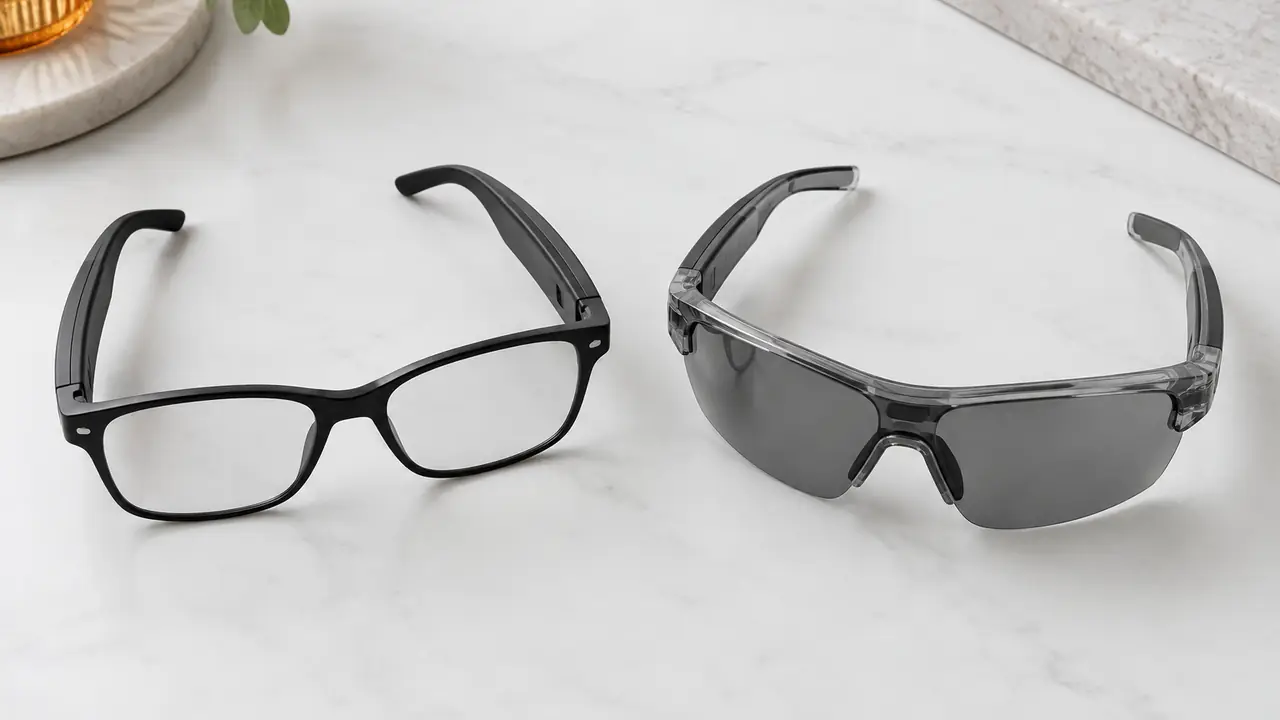
Same engines, different devices
A handheld translator is a dedicated device, usually the size of a small phone, with a microphone, a speaker, a screen and often a SIM or Wi-Fi connection of its own. The user holds it out, presses a button, speaks, and the other person reads or hears the result. Translation glasses put microphones in the temples and play the translated speech through open-ear speakers, with the paired phone app handling the connection to a translation engine. Some models also show text on a small display; most do not.
In both cases the quality of the translation itself depends mostly on the engine and the network, not on the hardware. What the hardware changes is how the conversation feels: whether hands are free, whether the user looks at the other person or at a screen, how well speech is picked up in a noisy hall, and how much the device intrudes on the meeting. Those factors decide which product suits which buyer.
Side-by-side comparison
Figures for translation glasses are typical across the category. Handheld translators are described qualitatively because models vary widely.
| Dimension | Translation glasses | Handheld translators |
|---|---|---|
| Hands | Hands-free; worn as eyewear | Held in the hand or passed between speakers |
| Pickup | Temple mic array, tuned for the wearer's voice | Device mics, often pointed at each speaker in turn |
| Output | Open-ear audio to the wearer; text on display models only | Speaker plus screen readable by both parties |
| Languages | Per app and translation engine; mainstream 6-60+ | Per device and engine |
| Latency | Typical cloud latency 0.5-3 s per network and language pair | Also network and engine dependent |
| Offline use | Offline packs for a few language pairs only | Offline packs on some models |
| Connection | Through the paired phone | Often its own SIM or Wi-Fi |
| Other functions | Music, calls, sun or clear lenses | Translation, sometimes photo text translation |
| Best fit | Wearer who travels, guides or works hands-free | Short exchanges where both sides read the screen |
The output row is the one most buyers miss. Glasses play the translation to the wearer. For the other person to understand the wearer, the app usually speaks through the phone or shows text on the phone screen, so in practice many glasses conversations still involve a phone. Listings should describe this flow plainly.
Latency, languages and honest claims
Translation is a chain: microphone pickup, speech recognition, translation, speech synthesis, and playback, with network round trips in between. Each step takes time, and the total depends on the network and the language pair. Across the category, typical cloud latency is 0.5-3 seconds. Neither glasses nor handheld devices remove that delay, and copy should never suggest otherwise. The breakdown is in translation glasses latency.
Language counts follow the engine. Mainstream products support from six to sixty or more languages per app, and cloud services may claim more. A count is meaningful only with the language pairs and dialects listed, and with a note on which work offline. For a project buyer - a tour operator or trade fair team - test the specific pairs that matter, in the venue conditions, on the golden sample. The trade-offs between local and cloud processing are covered in offline vs cloud translation glasses.
Pickup, noise and the conversation itself
Pickup is where glasses have a structural edge for the wearer's own voice. The temple microphones sit at a fixed distance from the mouth, and a mic array with noise cancellation per firmware can focus on the wearer in a busy hall. Picking up the other person is harder: they may stand at an angle or a distance, and ambient noise competes. Handheld devices let the user point the microphone at whoever is speaking, which helps in noisy places but makes the exchange more formal.
The conversation itself also feels different. With glasses, the wearer can keep eye contact and use both hands, which matters for guides, sales staff on a stand and field workers. With a handheld device, both parties look at the screen, which is clear and neutral but slower. Neither format is better in every case; the use case decides. The scenario page on travel and translation use lists what to test for each setting.
Battery, fleets and project buying
Translation glasses carry small temple batteries, commonly about 85-235 mAh in total across both sides, and translation sessions use more power than music because the mics, the radio link and the app work continuously. Ask for runtime in translation mode at stated settings. Enterprise buyers also need to plan for fleets: charging many pairs overnight, labelling them, pushing firmware updates and handling lost or damaged units. Handheld translators raise similar fleet questions, plus SIM or data plans where they connect independently.
For a project order, the desk writes a short acceptance plan onto the spec sheet before samples are approved. It typically lists the language pairs to be tested, the venue conditions to simulate (a quiet room, a busy hall, street noise), the phones and operating system versions the app must support, runtime in translation mode at a stated volume, and how firmware updates will be delivered during the project. Each item is checked on the golden sample and then on a sample from the batch. The same plan becomes the training note for guides or stand staff, so the people using the glasses know which features need a network and what latency to expect.
Which to stock
Choose handheld translators for short, transactional exchanges where both parties benefit from reading a screen, or where the user does not want to wear anything. Choose translation glasses when the wearer needs hands free and eye contact - guided tours, trade fair stands, business travel and field work - and values audio and calls in the same device. For enterprise programs, start with a catalog translation model and test the specific language pairs; for retail, pair it with clear copy on latency and languages per app. Catalog models typically start at 50-500 pairs per model, logo programs at 500-1,000 pairs, as reference ranges confirmed in writing per program on MOQ and lead time. Tell the desk your language pairs and use setting on the quote form.