
Why the indicator is a design requirement
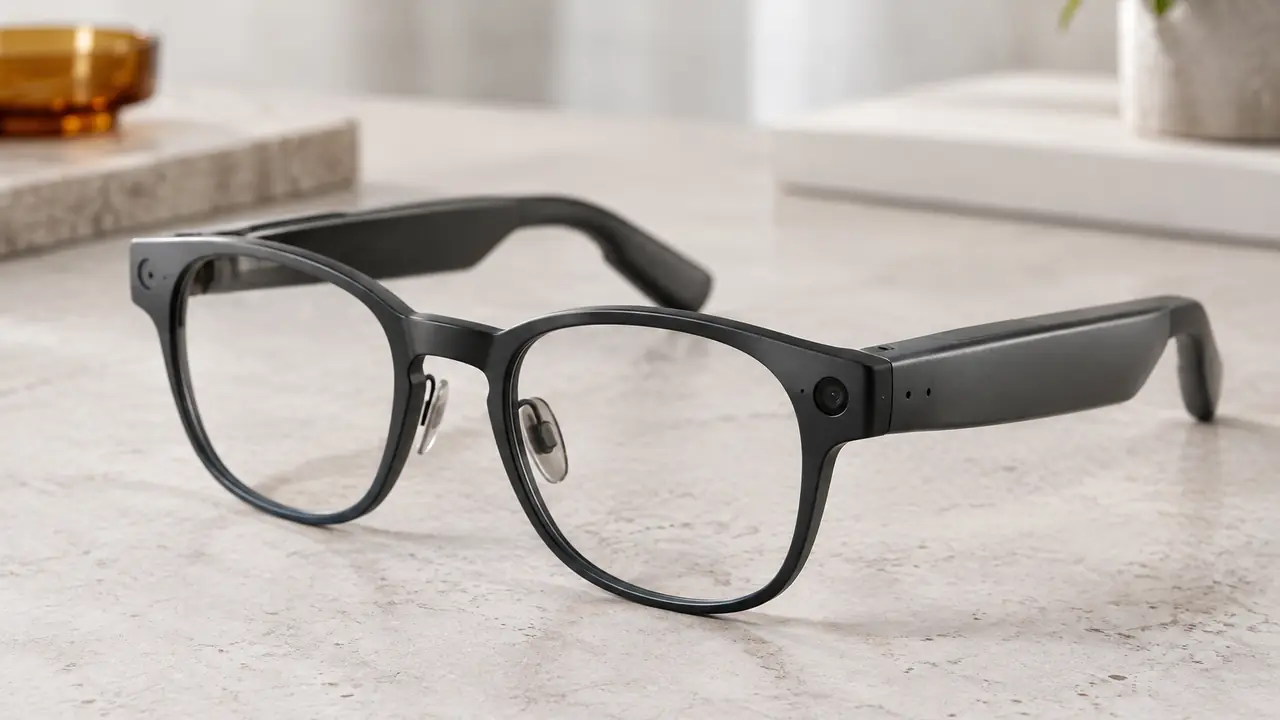
Camera glasses differ from phones and action cameras in one way that shapes the whole product: the camera points wherever the wearer looks, and nothing in the wearer's hands signals that a recording is happening. People nearby have no visual cue unless the product provides one. A recording indicator - a small LED next to the lens that lights while the camera captures photos or video - is that cue. Without a clear indicator, a product invites complaints, venue bans, platform removals and regulatory attention, and it damages trust in the whole category.
For a brand, the indicator is also a commercial asset. Retailers, enterprise buyers and marketplace reviewers increasingly ask how a camera pair signals recording before they list or approve it. A product that can answer with a tested, visible indicator and clear firmware rules is easier to place. Every camera model in a Templora program carries a recording indicator LED, and its behaviour is written into the spec sheet and checked on the golden sample.
What the EDPB statement says
On 13 October 2026 the European Data Protection Board adopted a statement on smart glasses. It is guidance on how existing data protection rules apply, not a new law, but it gives a clear picture of what European regulators expect. Several points apply directly to hardware design:
- Responsibility sits with the manufacturer. The statement places the duty to make recording transparent on manufacturers rather than leaving it to the wearer.
- Visibility in varied lighting. The indicator should be visible in different light conditions, including bright daylight.
- Distinct signals. Photo capture and video recording should use different indicator behaviour.
- No recording when covered. If the indicator is obstructed, the device should not be able to record.
- Colour choice. A footnote observes that white LEDs can be mistaken for a reflection on the frame.
Brands selling in Europe should read the statement with counsel, alongside the GDPR obligations that apply to their app and services. Markets outside Europe have their own rules; the statement is still a useful design reference because it is specific and practical.
Designing an indicator that works
Good indicator design is mostly about visibility from the viewpoint of other people, not the wearer. The table lists the main design points, what good looks like and how to test them on samples.
| Design point | What good looks like | How to test on samples |
|---|---|---|
| Position | Next to the lens, on the outer face of the front, in the line of sight of people facing the wearer | View from 1 to 3 metres at several angles |
| Brightness | Visible in direct sun as well as indoors, without dazzling at night | Outdoor midday check and dim room check |
| Colour | A colour that does not read as a reflection; avoid plain white per the EDPB footnote | Side-by-side review with several observers |
| Signal pattern | Different patterns for photo and for video, such as a flash for photo and steady or pulsing light for video | Trigger each mode and confirm observers can tell them apart |
| Obstruction | Recording blocked when the indicator is covered, per firmware | Cover the LED with tape or a finger and attempt to record |
| Durability | No fading or discoloration of the light window over the product's life | Check after sweat, UV and abrasion items in the test plan |
The indicator usually sits in the same small area as the camera window, which is tight. Plants need to plan the light guide, the window material and the flex routing together with the camera module from the first engineering sample; adding a brighter indicator late in a program often means a new front tool. The engineering notes are on camera module.
Firmware rules that back up the hardware
An indicator is only meaningful if firmware ties it firmly to the camera. The spec sheet should state, per firmware, that the camera cannot capture without the indicator active, that the indicator cannot be switched off in the app, and how the device detects an obstructed indicator - one approach is a small light sensor next to the LED that blocks capture when it reads the indicator as covered. It should also define what happens at the end of a recording, such as a final pattern that confirms recording has stopped.
These rules have to survive updates. A firmware release that changes camera behaviour should be retested against the indicator checklist before it reaches users, and the change log should record it. In the EU, connected glasses already fall under the RED cybersecurity requirements with the EN 18031 series since 1 August 2025, which covers protection against unauthorised changes to device functions; see RED cybersecurity and EN 18031.
Listing copy, packaging and user guidance
How a brand talks about the camera matters as much as how it works. Listing copy should present the camera as a point-of-view camera for creators, travellers and field teams, describe the recording indicator clearly and avoid any suggestion that recording can go unnoticed. Packaging and the quick-start guide should explain the indicator patterns and ask users to respect local rules and venue policies, such as signs prohibiting recording. A short line in the app at first launch reinforces the same message. Practical packaging options are on packaging and retail boxes.
The app side also carries privacy duties: where photos and videos are stored, whether they sync to a cloud account, and what permissions the app needs on the phone. Those questions are listed in smart glasses data and app permissions.
Building privacy into a camera program
A camera program that treats privacy as design work from the start avoids most late surprises. Templora writes the indicator position, colour, patterns and obstruction behaviour into the brief, checks them on engineering and golden samples with the partner plant, and collects the firmware and cybersecurity documentation for the compliance file, verified per project. The full camera spec list is in camera glasses specs. To start a camera program, send your markets and target specs through the quote form; typical quantities and sample windows are on MOQ and lead time.