
What the complaint usually looks like
A buyer rarely hears the words 'antenna' or 'pairing record' from an end customer. What arrives in the support inbox is one of four symptoms: the glasses do not appear in the phone's Bluetooth list at all; they appear but pairing fails or times out; they pair once but will not reconnect the next morning; or they connect and then drop audio when the wearer turns their head, walks outside or puts the phone in a back pocket. Each symptom points to a different part of the product, and treating them as one problem is why many brands replace units that had nothing physically wrong with them.
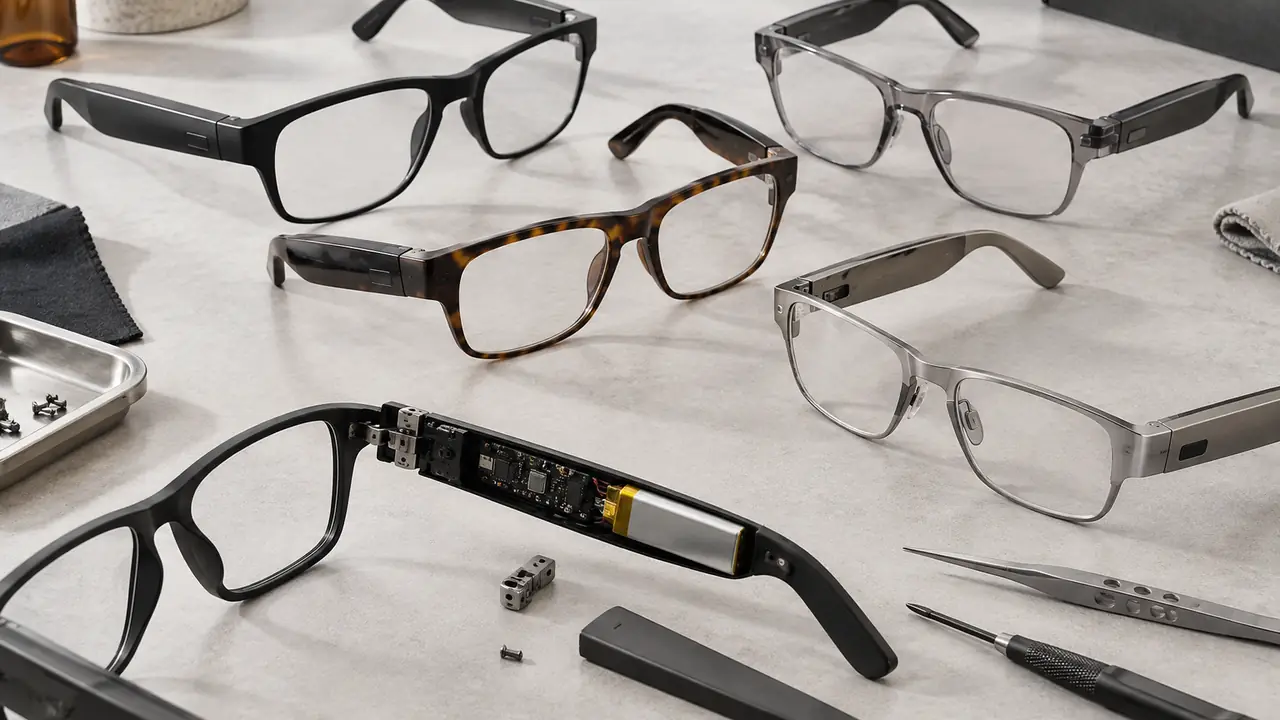
It helps to remember how small the radio is. A pair of audio glasses carries a Bluetooth audio system-on-chip, usually version 5.2 to 5.4 across the category, with an antenna squeezed into a temple a few millimetres thick, next to a lithium cell, a speaker and the wearer's head. Earbuds face the same physics, but glasses add a hinge that the antenna feed or the flex circuit has to cross, and a frame material that may or may not be metal.
Root causes by layer
Sorting causes into four layers keeps the conversation with partner plants specific.
| Layer | Typical root cause | How it shows up |
|---|---|---|
| Design | Antenna placed against a metal temple core, battery or hinge; poor ground clearance | Short range, drops when the head turns, worse on one side |
| Materials and assembly | Antenna feed or flex damaged at the hinge, shielding foil misplaced, cold solder joint | Unit-specific; some pieces in a lot fine, others weak |
| Firmware | Pairing table full, multipoint logic bugs, reconnect timer too short, power saving too aggressive | Pairs once, will not auto-reconnect; drops after a phone update |
| Use | Glasses still paired to another device, low battery, phone in a pocket on the far side, crowded 2.4 GHz environment | Intermittent, hard to reproduce on the bench |
Design causes affect every unit of a model and are found at the engineering sample stage, if anyone looks. Assembly causes affect a share of a lot and are found by incoming and pre-shipment inspection. Firmware causes often appear months after launch, when the phone operating system changes its Bluetooth stack or a new firmware build alters reconnect behaviour. Use causes are real and common, but they should be the conclusion of a triage, not the starting assumption.
Field triage for support teams
A short, ordered routine lets a support team or a retailer's counter staff separate use causes from product faults in a few minutes, and it gives the desk clean data when a pattern needs to go back to the plant.
- Charge first. Put the glasses on the charger until the indicator shows charging, then wait several minutes. Many 'dead radio' reports are a deeply discharged cell.
- Check what else is paired. Ask whether a laptop, tablet or second phone nearby may already hold the connection. With multipoint models, two active links can block a third.
- Forget and re-pair. Remove the glasses from the phone's Bluetooth list and from the companion app, then put the glasses into pairing mode per the manual.
- Factory reset the glasses. Use the documented reset gesture or button sequence to clear the internal pairing table, then pair again.
- Test range and position. With the phone in the hand, walk a few metres away; then move the phone to the opposite pocket. A drop only on one side suggests an antenna or design issue.
- Record the versions. Note the glasses firmware version, app version and phone operating system version before escalating.
If a unit fails after steps one to four, treat it as a product fault, keep it, and send the serial number and versions to the desk. Three or more returns with the same firmware version and the same symptom is a pattern worth a plant-side investigation.
What to write into the purchase spec
Most connection problems can be designed or specified out before mass production. A few lines on the spec sheet change the conversation with the plant from 'it works on our phone' to measurable acceptance criteria.
- Bluetooth version and profile set. State the version, the profiles required for audio and calls, and whether multipoint is required, per firmware.
- Antenna placement review. Ask for the antenna location relative to the cell, hinge and any metal core to be shown on the engineering sample, and for range to be checked on both sides of the head.
- Reconnect behaviour. Define what the glasses do when taken out of the case or unfolded: reconnect to the last device, and how many devices are remembered.
- Phone compatibility list. Agree a test list of current phone operating system versions and handset types, and require a re-test when a major operating system release ships.
- Bluetooth SIG listing. Confirm the qualification route and Declaration ID, verified per project; see Bluetooth SIG qualification.
- Firmware version control. Lock the firmware version on the golden sample and require written notice before any change in mass production.
Inspection items that catch it
Pre-shipment inspection for smart glasses should include a functional radio check on every sampled unit, not just a power-on test. The desk's typical working default, confirmed per order, covers the items below; the full routine sits on testing and inspection.
- Pairing from a reset state with at least two handset types running different phone operating systems.
- Auto-reconnect after folding, unfolding and returning to the charger.
- Multipoint switching where specified: call on one device, media on the other.
- Range walk-test with the phone on the far side of the head, recorded against the golden sample.
- Firmware version read-out on every sampled unit, compared against the locked version.
- Hinge cycling on a sample before and after the radio check, because flex damage at the hinge can degrade the antenna feed.
Bluetooth radio and EMC tests under FCC Part 15.247 and Subpart B, or EN 300 328 and EN 301 489 under the CE RED, belong to the certification file, not to lot inspection. They confirm the radio meets the rules; they do not confirm that it reconnects reliably every morning. Both are needed.
Bringing it into the program
Connection complaints are cheaper to prevent than to process. When the desk shortlists a catalog model, it asks for the reconnect logic and the antenna layout, runs the triage routine on catalog samples with the buyer's target phones, and records firmware versions from the first sample onwards. For a custom program, those checks move into the engineering sample review. If you are building a range and want the spec lines above applied, the quote form asks for the target phones, the features and the markets, and the related notes on multipoint Bluetooth and firmware update failures cover the adjacent issues.