
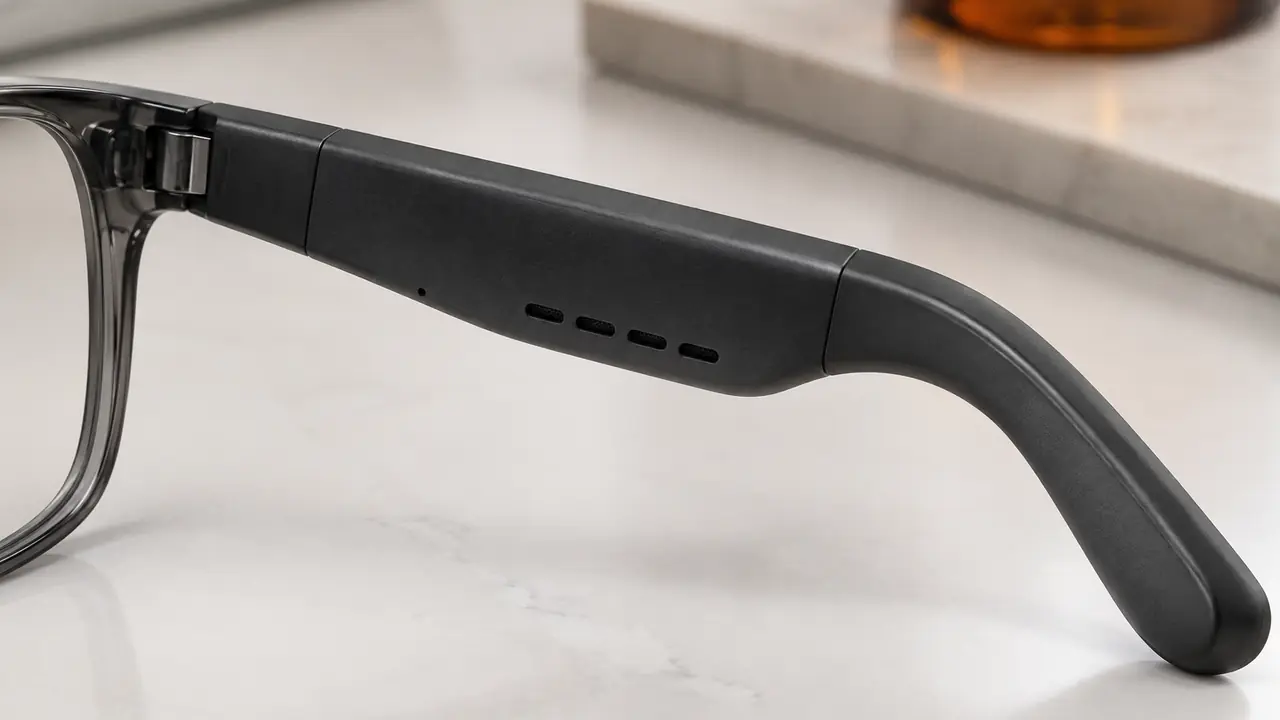
What multipoint means
Pairing and connecting are different things. Most audio glasses remember several paired devices, but a basic single-point pair is actively connected to only one at a time; to move from the phone to the laptop, the wearer disconnects one and connects the other. Multipoint means the glasses keep two active connections at once, typically one phone and one computer or tablet, and route audio from whichever needs it. A call on the phone interrupts music from the laptop; a meeting on the laptop can start while the phone stays connected for incoming calls.
For office workers and field teams this is the feature that makes glasses a practical all-day headset rather than a music accessory, and the use case behind it is described on office and call use. Across the category, multipoint is now common on business call models and increasingly on mainstream audio glasses, always per firmware.
How it works inside the temple
The Bluetooth audio SoC maintains two link-layer connections and runs separate profile instances for each device: A2DP for music, AVRCP for play and pause, and HFP for calls. Only one audio stream is usually played at a time; the firmware decides which device owns the speaker at any moment. The switching rules are the real product. They decide what happens when music is playing from one device and a call arrives on the other, whether music resumes after the call, which device a voice assistant command goes to, and what a tap on the temple does while two devices are connected.
Because all of this lives in firmware, two pairs built on the same SoC can behave very differently. One plant may pause laptop audio and resume it after a phone call; another may require the wearer to press play again. Neither is wrong, but the behaviour should be chosen, written down and kept stable across firmware releases.
Switching rules to agree
| Scenario | Typical behaviour per firmware | Decision for the buyer |
|---|---|---|
| Music on laptop, call arrives on phone | Music pauses, call rings through | Should music resume automatically after the call? |
| Call on phone, meeting starts on laptop | Active call keeps priority | Should a second call be announced by a tone? |
| Music on both devices | Last device to start playing takes over, or first keeps priority | Which rule fits your customers? |
| Voice assistant trigger | Goes to the primary or last-used device | Which device is primary, and can the app change it? |
| Third device tries to connect | Rejected, or replaces the oldest connection | Replace or reject? |
| Power on | Reconnects to the last one or two devices | How long should reconnection attempts last? |
These rules should be listed on the spec sheet and reflected in the quick-start card, because unclear switching is a common reason customers report that the glasses are not connecting when they are in fact connected to the other device.
Common multipoint problems
Most complaints fall into a short list. Audio that plays from the wrong device usually reflects the priority rule rather than a fault. Glasses that drop one connection when the second device connects may have multipoint disabled in the app or a firmware version without it. Choppy audio during multipoint use can come from radio load, especially when the laptop is also using Wi-Fi in the 2.4 GHz band, or from the antenna position in the temple. Calls that sound worse in multipoint mode can mean the SoC falls back to narrowband speech when two connections are active, which is worth checking on samples. Multipoint also costs some battery, because two links are maintained; runtime figures should be stated with the test conditions. The general fault tree is in Bluetooth glasses not connecting.
Testing on samples
- Pair two real devices. Use the phone and laptop platforms your customers use most.
- Run each scenario. Work through the switching table and record the behaviour.
- Check call quality. Compare a call in single and multipoint mode, including on meeting software, verified per program.
- Check reconnection. Power cycle the glasses and both devices in different orders.
- Check runtime. Note playback time with one and two connections under the same volume.
- Freeze firmware. Record the firmware version and the switching rules on the golden sample.
Listing and support wording
Multipoint is easy to oversell. A listing that says the glasses connect to every device at once invites returns from customers who expect three or four devices, or simultaneous audio from two sources. Clear wording states the number of active connections, typically two per firmware, gives one or two concrete examples such as a phone and a laptop, and explains the priority rule in one sentence. The quick-start card should show how to pair a second device, because the usual mistake is pairing the second device while the first is still in pairing mode, or forgetting to switch multipoint on in the app where it is optional.
Support scripts benefit from the same table used in testing. When a customer reports that sound comes from the wrong device or that one device keeps dropping, the agent can walk through the scenario, check the firmware version in the app and, where needed, suggest clearing the pairing list and pairing the two devices again in order. Brands that keep this script with the golden sample record usually resolve multipoint tickets without a return.
Specifying multipoint in a program
For a catalog model, multipoint is either supported in the current firmware or not, and the switching rules are what the plant has already implemented; the desk records them so listings and support scripts match. On a logo program, small changes such as the primary-device rule or prompt tones can often be adjusted per firmware. On a custom program with an app white-label, the app can expose multipoint settings to the wearer, and the release process for firmware updates should be planned so the rules do not silently change after launch; that planning is covered on firmware and app.
Business ranges usually pair multipoint with multi-mic call processing and optional blue-light filtering lenses, which carry no health claim. Typical starting quantities are 50 to 500 pairs per catalog model and 500 to 1,000 pairs for a logo program, confirmed in writing per program on MOQ and lead time. List the devices and meeting software your customers use on the quote form so samples are tested against them.